
介紹如何在 Python 中使用 OpenCV 在圖片中加入半透明的文字方塊。
這裡介紹兩種在圖片中加入文字方塊的方法,一種是使用 OpenCV 本身的功能,另外一種是使用 pyshine 模組。
使用 OpenCV
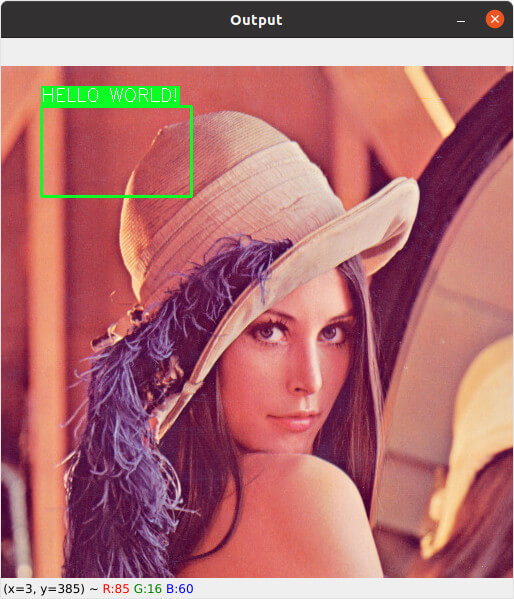
通常在經過 AI 辨識圖片之後,會需要在圖片中加上方框與文字的標示,以下是使用 OpenCV 加入方框與文字的範例:
import cv2

# 讀取圖檔
image = cv2.imread('lena.jpg')

# (x1,y1)
#    o-------+
#    |       |
#    +-------o
#          (x2,y2)

# 左上角與右下角座標
x1 = 40
y1 = 40
x2 = 190
y2 = 130

# 顏色
color = (36, 255, 12)
text_color = (255, 255, 255)

# 文字內容
text = 'HELLO WORLD!'

# 加入方框
image = cv2.rectangle(image, (x1, y1), (x2, y2), color, 2)

# 計算文字的大小
(w, h), _ = cv2.getTextSize(text, cv2.FONT_HERSHEY_SIMPLEX, 0.6, 1)

# 加入文字背景區塊
image = cv2.rectangle(image, (x1, y1 - 20), (x1 + w, y1), color, -1)

# 加入文字
image = cv2.putText(image, text, (x1, y1 - 5), cv2.FONT_HERSHEY_SIMPLEX, 0.6, text_color, 1)

#  顯示圖片
cv2.imshow('Output', image)
cv2.waitKey(0)
使用 pyshine 模組
使用 pip 安裝 pyshine 與相關必要模組:
# 安裝 pyshine 與必要模組
pip3 install opencv-contrib-python pyshine numpy
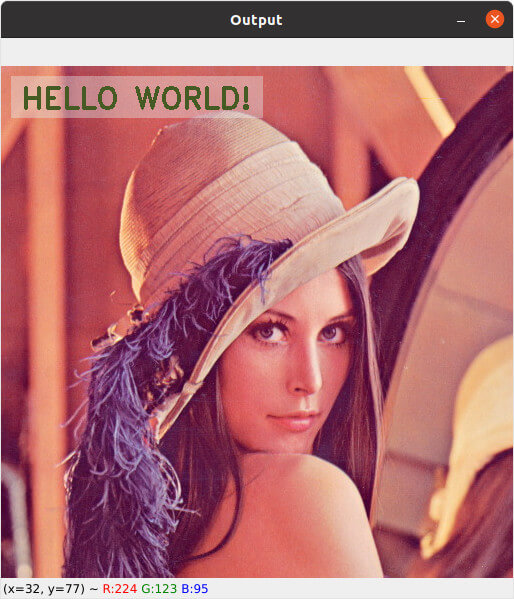
以下是使用 pyshine 模組的 putBText 函數加入基本文字方塊的範例程式碼:
#!/usr/bin/env python3
import pyshine as ps
import cv2

# 讀取圖檔
image = cv2.imread('lena.jpg')

# 文字內容
text = 'HELLO WORLD!'

# 加入文字方塊
image = ps.putBText(
        image,                            # 原始影像
        text,                             # 文字內容
        text_offset_x = 20,               # X 軸座標
        text_offset_y = 20,               # Y 軸座標
        vspace = 10,                      # 縱向空間
        hspace = 10,                      # 橫向空間
        font_scale = 1.0,                 # 字型大小
        background_RGB = (228, 225, 222), # 背景顏色
        text_RGB = (70, 90, 35)           # 文字顏色
        )

#  顯示圖片
cv2.imshow('Output', image)
cv2.waitKey(0)
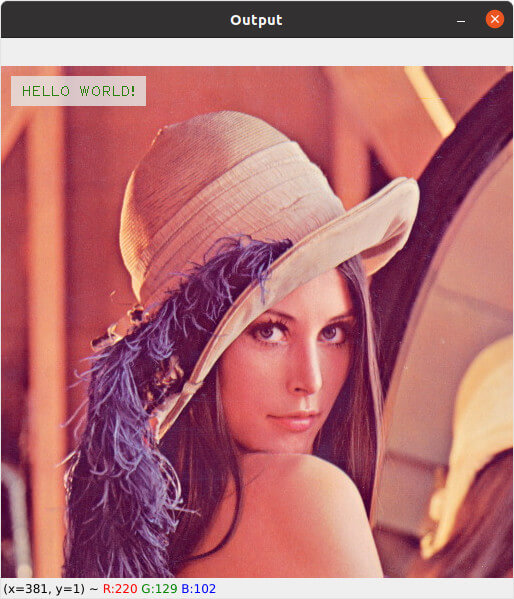
putBText 函數還有一些進階的選項,包含自選字型、線條粗細與透明度等:
#!/usr/bin/env python3
import pyshine as ps
import cv2

# 讀取圖檔
image = cv2.imread('lena.jpg')

# 文字內容
text = 'HELLO WORLD!'

# 加入文字方塊
image = ps.putBText(
        image,                            # 原始影像
        text,                             # 文字內容
        text_offset_x = 20,               # X 軸座標
        text_offset_y = 20,               # Y 軸座標
        vspace = 10,                      # 縱向空間
        hspace = 10,                      # 橫向空間
        font_scale = 1.0,                 # 字型大小
        background_RGB = (230, 230, 230), # 背景顏色
        text_RGB = (0x2a, 0x80, 0x0c),    # 文字顏色
        font = cv2.FONT_HERSHEY_PLAIN,    # 字型
        thickness = 1,                    # 字體線條粗細
        alpha = 0.2                       # 透明度
        )

#  顯示圖片
cv2.imshow('Output', image)
cv2.waitKey(0)
在字型的選擇部分,可以選用下列這些 OpenCV 的字型:
cv2.FONT_HERSHEY_COMPLEXcv2.FONT_HERSHEY_COMPLEX_SMALLcv2.FONT_HERSHEY_DUPLEXcv2.FONT_HERSHEY_PLAINcv2.FONT_HERSHEY_SCRIPT_COMPLEXcv2.FONT_HERSHEY_SCRIPT_SIMPLEXcv2.FONT_HERSHEY_SIMPLEXcv2.FONT_HERSHEY_TRIPLEXcv2.FONT_ITALIC